A robot kit can now combine a small computer, several sensors, wireless control, and a moving arm in one project. That does not make every kit useful for serious automation, but it changes what a learner can build on a desk.
The useful question is not whether a kit looks advanced. It is which parts do the work, how much setup they need, and what the builder can change.
- More computing fits on the controller, so the kit can react to sensor data on its own.
- Modular parts let one frame support several projects instead of one fixed build.
- The hard limit is still integration: wiring, software, power, and safe movement must work together.
The controller does more work
Older classroom robots often followed a short list of commands. A newer kit can read distance sensors, control motors, process camera input, and exchange data with another computer from the same project.
That change comes from the controller and its software. A small board can run code that checks sensor readings, chooses an action, and sends motor commands many times per second. The result is a robot that can respond to its surroundings instead of repeating one stored path.
The distinction matters for a beginner. A line-following robot teaches control with a narrow set of inputs. A platform with several sensor ports lets the same learner add obstacle detection, remote control, or a simple mapping task later.
More code also brings more failure points. A motor may turn in the wrong direction, a sensor may return noisy readings, or a program may ask for movement before the robot has a safe position.
Sensors change the kind of project
A motor tells a wheel to turn. A sensor tells the controller what happened after that command. Robot kits become more useful when they include enough input devices to close that loop.
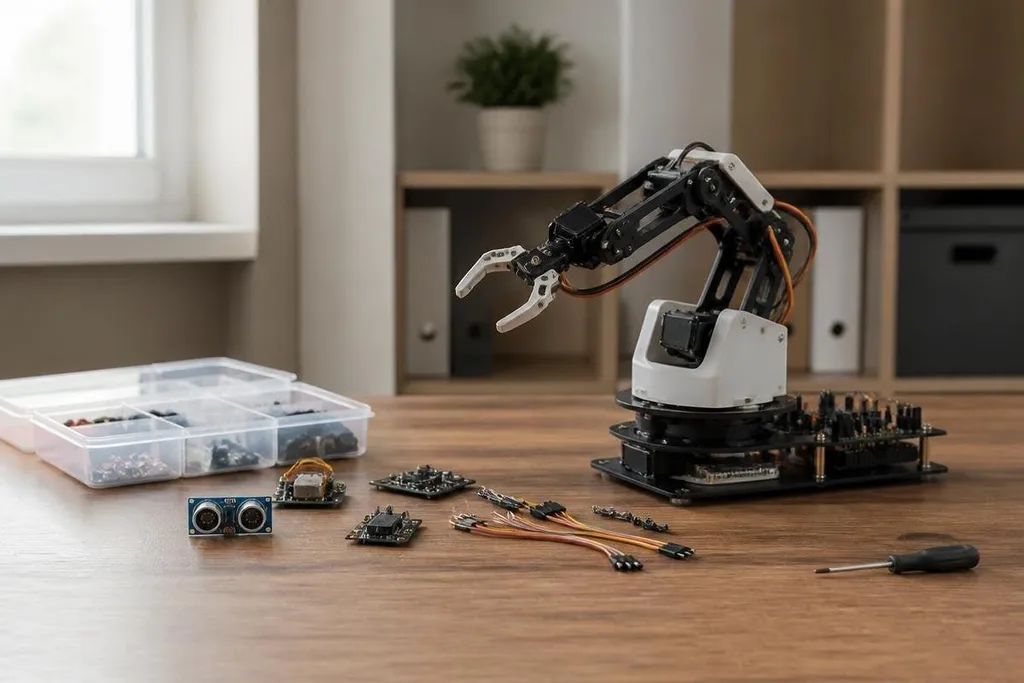
An ultrasonic sensor can measure distance. An encoder can track wheel rotation. An inertial measurement unit, or IMU, measures motion and rotation. A camera can add visual data, though camera work usually demands more software and computing power than a simple distance check.
These parts support different lessons. Encoders help a robot measure how far it moved. An IMU can show how turning affects its heading. A camera can let a project sort objects by color, provided the lighting and software are controlled.
Kit builders can compare those parts with the sensors and controllers used in working robots through Robot24.com robotics coverage. That comparison shows why modular hardware matters: you can add one part without replacing the rest.
Modular hardware lowers the cost of trying
A kit with standard mounts, shared connectors, and separate motor modules lets you change one part without rebuilding the whole robot. That makes testing less expensive in time and parts.
The frame still sets limits. A small servo cannot move a heavy arm safely, and a battery that runs two motors may drain quickly when it also powers a computer and camera.
A kit can support a wide range of projects on paper, but each project must stay within its motor torque, battery, and controller limits.
Software matters just as much. A clear programming library can turn a motor command into a short line of code. Good documentation should also explain pin layouts, voltage limits, sample programs, and how to stop the robot safely.
The most advanced-looking kit may be a poor choice if its parts are hard to replace or its software only works in one narrow setup. I’d choose the kit with clear limits and accessible parts over one with a longer feature list.
What to check before buying
The next step is to match the kit to the task you want to finish. Check these points before paying for extra sensors or a larger frame:
- Project fit: Pick a kit that can complete one planned build with its included motors and sensors.
- Controller access: Check which programming languages, ports, and operating systems it supports.
- Power limits: Find the battery voltage, rated current, charging method, and expected run time.
- Replacement parts: Confirm that motors, wheels, cables, and control boards can be bought separately.
- Room to grow: Look for spare ports and mounting points if you expect to add a camera, gripper, or encoder.
- Safe movement: Make sure the software has a stop command and the frame keeps moving parts away from fingers.
A robot kit is becoming more advanced when it lets you test a real control problem without hiding the hardware limits. Start with one working sensor-and-motor loop, then add parts only when the next task needs them.